1. Import a MARS Package
What to do in this step: Install the example reaction Throw.mars into your scene.
Prerequisites
- The practice scene from step 0 (1 character + MARS Hub)
- Throw.mars
Throw is an example that throws a cat at the character when !Throw appears in chat, and the character ragdolls on impact. The impact sound is picked randomly from Warudo's built-in hit sounds each time.
Steps
-
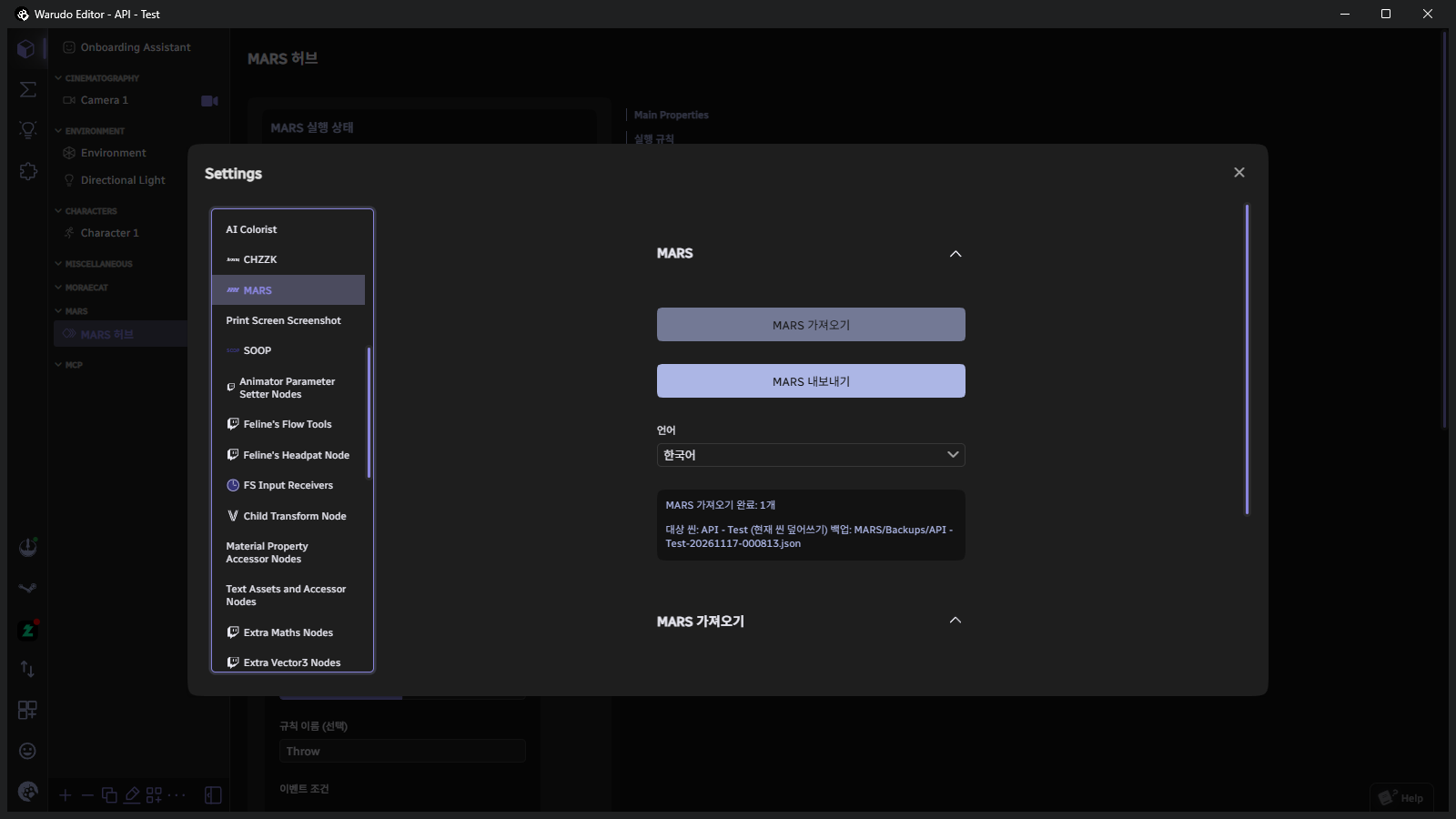
Bottom-left menu → Settings → click MARS in the left list.
-
Scroll down on the right and click Open Import Folder in the MARS Import section. Put the downloaded
Throw.marsin the folder that opens. The folder path isWarudo/Warudo_Data/StreamingAssets/MARS/Import/. -
Open the File to Install list, select
Throw.mars, and click Install….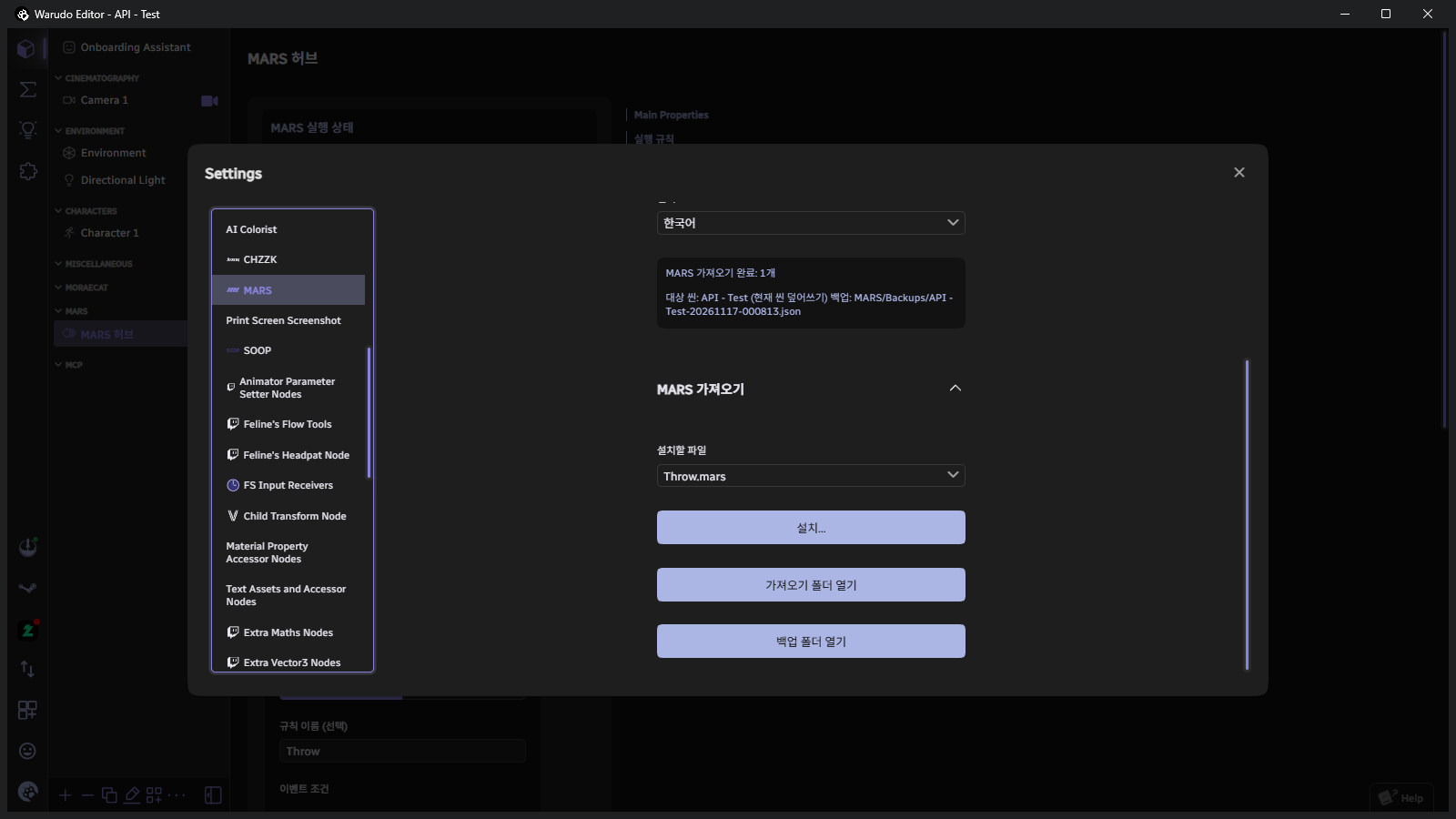
-
The install dialog opens. Check the summary at the top to see what's coming in, then configure the options below.
Option What to choose 'Character 1' →Your character in this scene. Maps the original character slot to your character. Also add execution rules (disabled) Yes. Brings in the Throwrule (disabled by default at first).Install Location Duplicate to New Scene (Recommended). Leaves the current scene intact and creates a new scene with the reaction merged in. New scene name Keep the suggested name or change it. An existing scene name cannot be used. 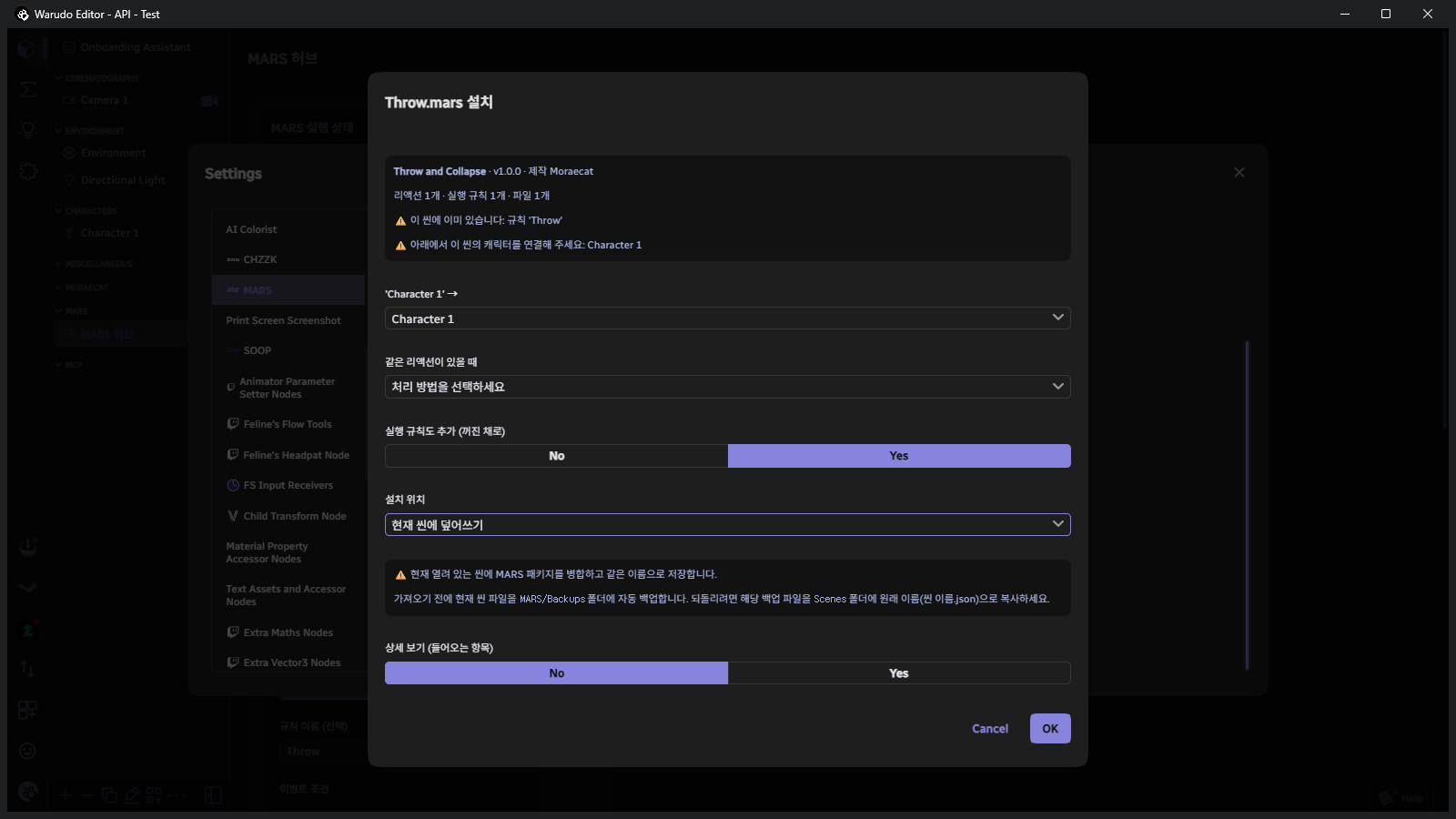 If you see a warning in the dialog
The screenshot was taken in an already-installed scene, so "already in this scene" and When the Same Reaction Exists are visible. These won't appear in a fresh scene. Choosing Overwrite Current Scene automatically backs up the current scene to the
MARS/Backupsfolder before installing. -
Click OK. When installation finishes, the new scene opens automatically.
If the reaction uses another Workshop plugin that isn't installed, a dialog appears with the plugin name and offers to subscribe and download.
Click OK and MARS subscribes on your behalf. After the download finishes, restart Warudo and install again.
If auto-subscribe fails, it opens the Workshop page for you. Throw only uses Warudo built-in features, so this dialog won't appear.
Verification
- The scene name at the top of the editor has changed to the new scene name.
- The Blueprint tab contains MARS Example - Throw Prop and Ragdoll.
- The Hub's Execution Rules shows
Throwwith Active set to No (you'll enable it in the next step).
Next step: 2. Set Up Rules