5. Exporting a MARS-Compatible Blueprint
What to do in this step: Export your rules and reactions into a single .mars file so you can share it with others.
Prerequisites
- A MARS-compatible reaction and the rule that uses it (from step 4)
MARS exports by rule. Selecting a rule bundles its reaction blueprints, scene assets such as props and cameras, and local files such as particles — all in one file.
Steps
-
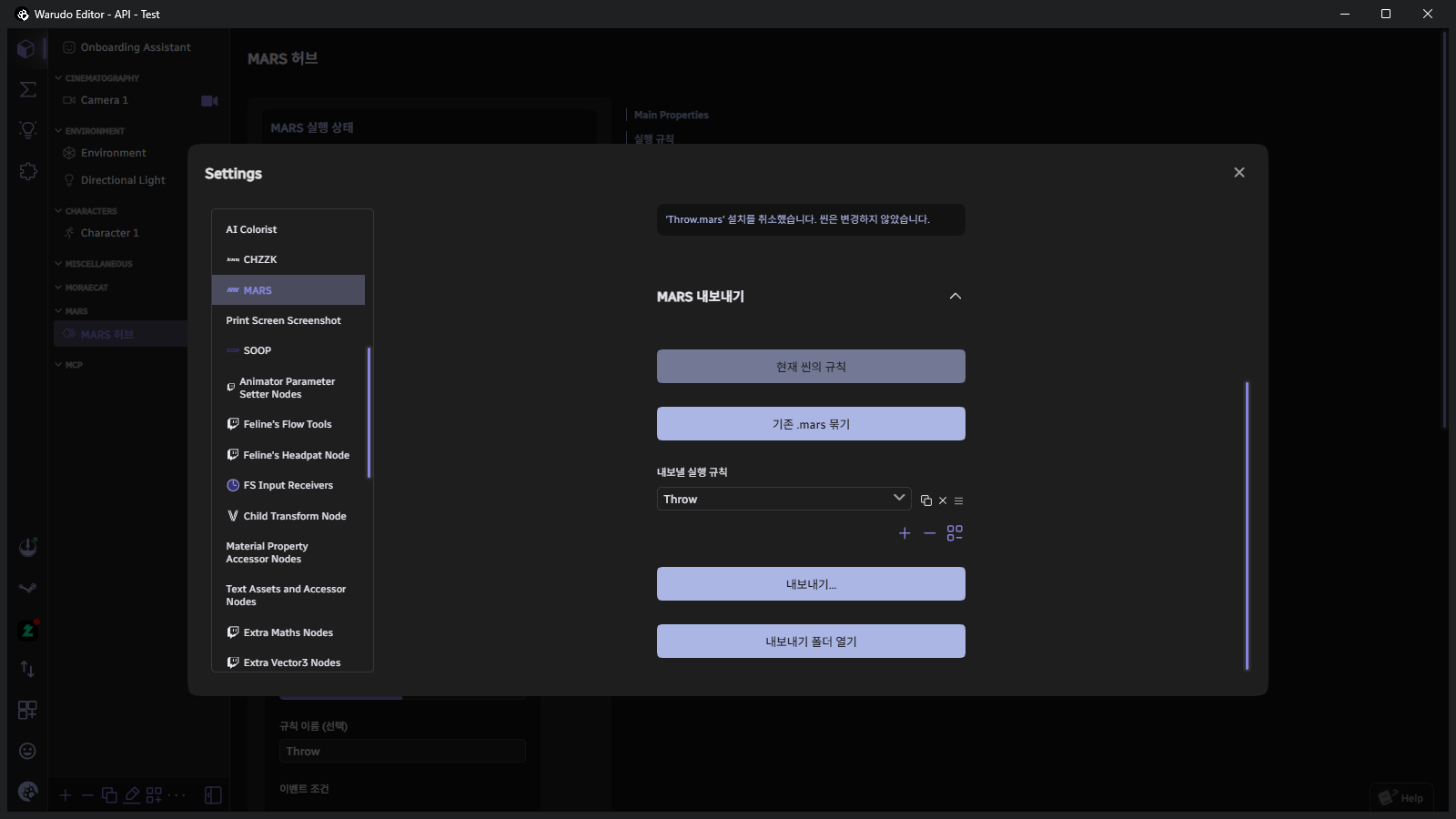
Bottom-left menu → Settings → click MARS in the left list → click MARS Export.
-
Check that Rules in Current Scene is selected in the MARS Export section.
-
Under Execution Rules to Export, select the rule(s) to include. Click + to add more.
-
Click Export…. Review what is included in the export dialog.
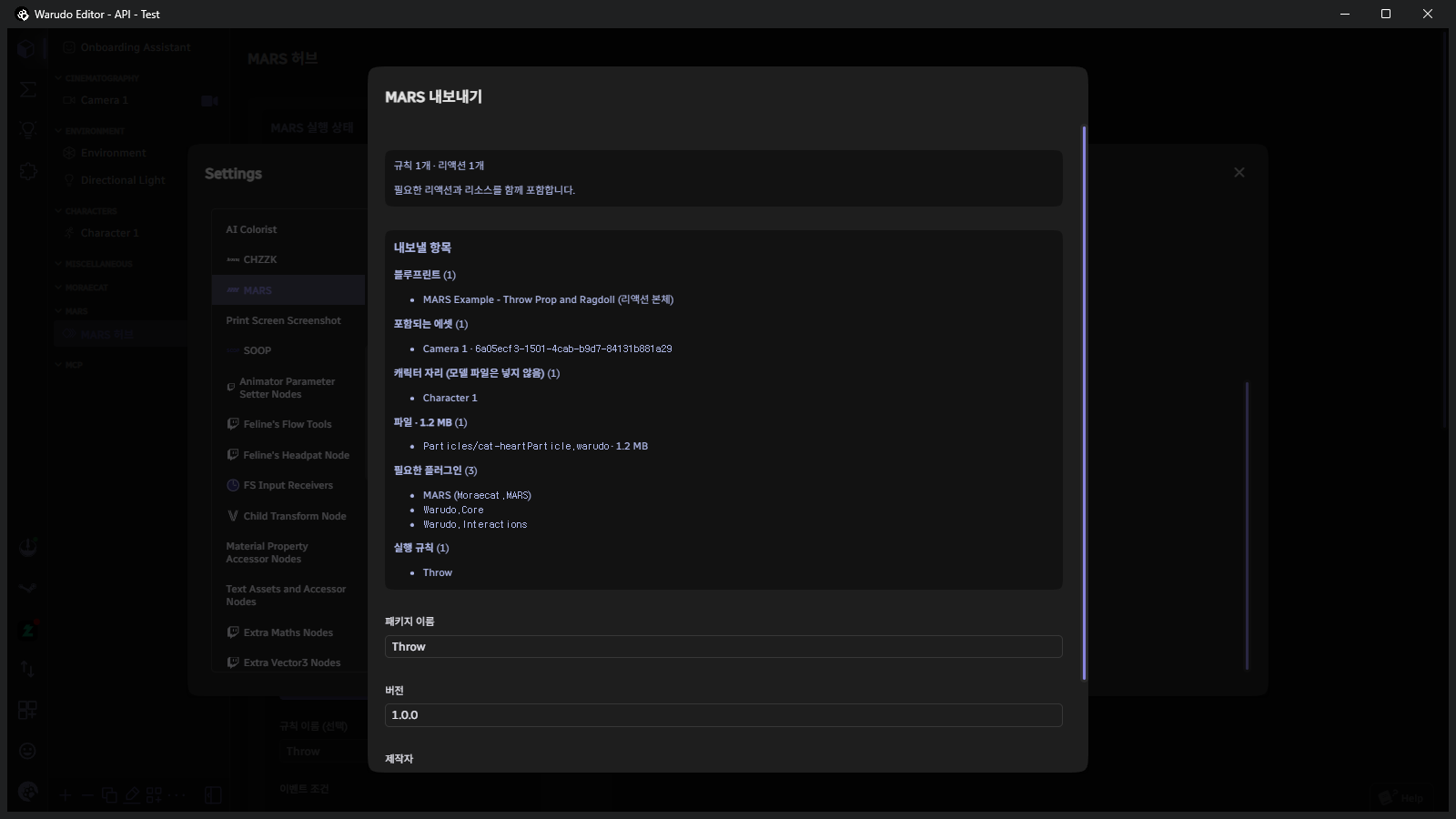
Section What to check Blueprints The reaction's main blueprint Included Assets Cameras, props, etc. bundled together. If you see assets that aren't needed, clean up their references in the blueprint. Character slots Model files are not included — only a "character slot" placeholder. Recipients map their own character to it. Files Local files included and their sizes (e.g. particle .warudofiles)Required Plugins Plugins the recipient must have installed. For Workshop plugins, the recipient is offered auto-subscription. -
Enter the Package Name, Version, and Author, then click OK.
-
Click Open Export Folder to find the generated
.marsfile. It is saved toWarudo/Warudo_Data/StreamingAssets/MARS/Export/.
- Include only resources you have the right to share. If a paid asset or someone else's file appears in the Files list, remove its reference from the blueprint.
- Recipients on MARS older than 1.1.0 cannot open the file (read error). Let them know to update MARS in the Workshop first.
- When releasing an update, bump the Version number. Recipients can then choose When the Same Reaction Exists → Update to replace the old version.
Bundling multiple files into one
You can combine several already-exported .mars files into one. Put the files in the Export folder, select Bundle Existing .mars Files, choose the files under Files to Bundle, and click Bundle into One .mars….
See the Bundle Package guide for details.
Verification
- A
PackageName.marsfile appears in the Export folder. - Copying it to the Import folder and installing it with Duplicate to New Scene (Recommended) (as in step 1) brings in the rules and reactions intact.
Congratulations — that's the full tutorial! For more features, see the Guide.